Why Your To-Do List Fails: 7 Common Planning Mistakes
A to-do list usually fails because of how it is written, not because of laziness. Here are seven common...


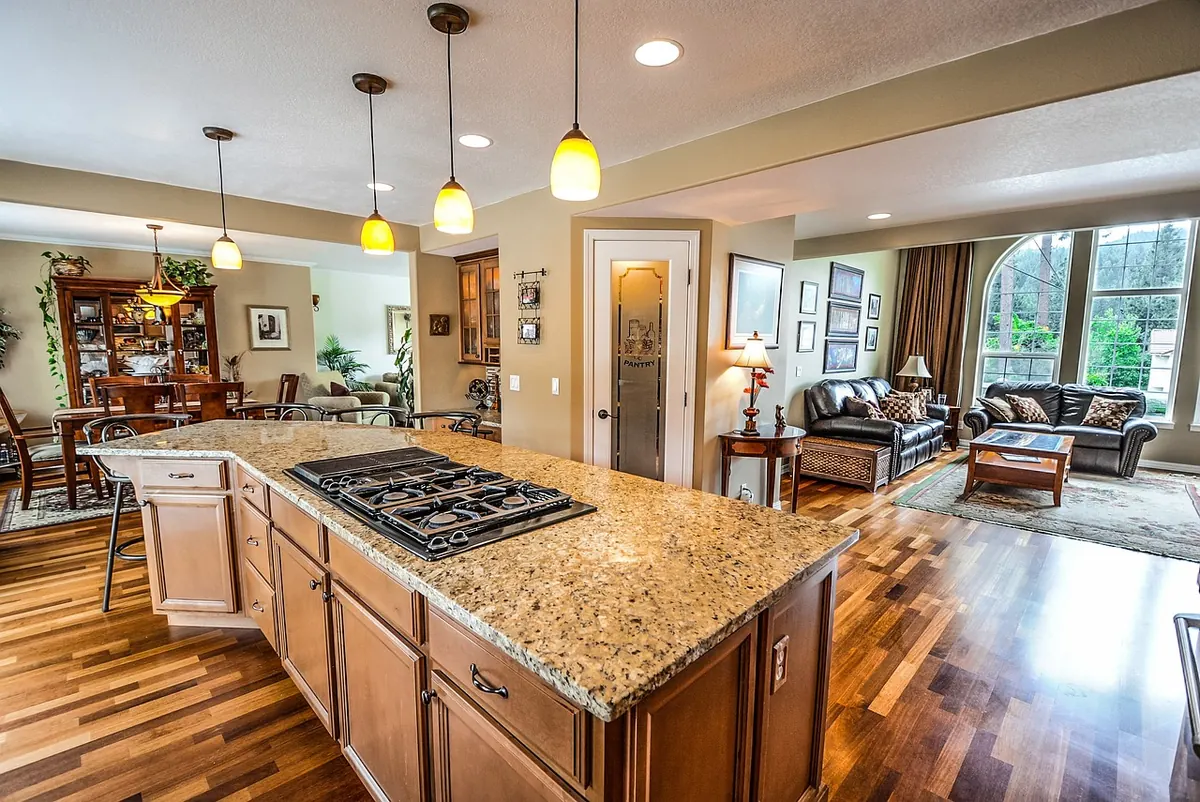
The kitchen table is a decent desk until roughly the third hour. It is the right height for eating and usually a centimetre or two too high for typing, its chairs were designed for a plate rather than a laptop, and the light you cook under is rarely the light you want to read a screen by. None of that means you need to clear a spare room or spend a weekend building furniture.
The fixes are small, cheap, and mostly already in your kitchen. Work through the five checks below once, properly, and then repeat a shortened version at the end of each working day. It takes about five minutes and it is the difference between a table you can work at for a morning and a table that leaves your shoulders round your ears by four o'clock.
Sit down as you normally would and notice three things: your feet, your knees and your shoulders. Feet should be flat on the floor. Knees roughly level with your hips, or a touch lower. Shoulders down and relaxed, not creeping up towards your ears.
Dining tables tend to sit slightly higher than a standard desk, so if the table feels too tall, the answer is not to slouch down into it. Raise your seat instead, then deal with whatever that does to your feet.
Check the depth, too. You want roughly a couple of fingers' width between the back of your knees and the front edge of the chair. And if you have been using a backless stool, save it for short bursts rather than a full working day.
A laptop sitting flat on a kitchen table puts the screen well below where your eyes want it, so you drop your chin and bend your neck forward. That is the position your neck likes least, and it is the one most kitchen-table workers hold for hours without noticing.
Raise the laptop. A stand, a stack of cookbooks or a sturdy box all work. Aim for the top of the screen roughly at eye level or just below it, and about an arm's length away.
There is a catch: once the screen is up, the keyboard is up with it. That is why a separate keyboard and mouse matter more than any other purchase. Plug them in, drop your hands back to table height, and you have fixed both ends of the problem at once.
If you only have the laptop, you are choosing between neck strain and wrist strain. Work in shorter blocks, take more breaks, and consider borrowing a keyboard until you can sort one out. Keep the screen directly in front of you rather than off to one side, so you are not twisting to read it.
Elbows at roughly ninety degrees, or a little more open. Forearms level or angled very slightly down. Wrists straight, not bent up towards the ceiling and not pressed against the hard edge of the table.
Bring the keyboard close enough that your upper arms hang by your sides. If you are reaching for it, your shoulders will climb within twenty minutes and stay there. The mouse belongs right next to the keyboard, not out on a far corner of the table where you have to stretch for it.
You will know the table is too high if your wrists bend upwards as you type. Raise the seat with a cushion, use a footrest to close the gap underneath, and let the table come down to you rather than bending your hands all day to meet it.
Clear a patch the size of a sheet of A4 for the mouse, and push plates, post and paperwork out of the way. At the end of the day, pack the whole lot down. The table has to go back to being a table.
Two problems to solve: glare on the screen, and shadows across the keyboard. Sitting facing a window is the classic mistake, because the window ends up far brighter than the screen and you squint at both.
Where you can, sit side-on to the window so the light falls across the table rather than into your eyes or onto the screen. Kitchen downlights overhead and slightly behind you can bounce off a glossy display; angle the screen, or shuffle a chair's width along the table, and the reflection often disappears.
For darker mornings and evenings, add a lamp you can aim. A small desk lamp with an adjustable head, positioned to light the keyboard and any paper without shining into your eyes, is worth the space it takes up.
Match your light levels. A bright screen in a dim room is tiring, and so is a dim screen under a bright ceiling light. Switch the kitchen light on if you need it, then adjust the screen brightness to sit comfortably alongside it.
The best break is one attached to something you already do. Otherwise it becomes another thing to forget.
If you can manage a longer pause mid-morning and mid-afternoon, take it. A proper break beats four hurried ones.
Run the same reset at the end of the day as you pack the laptop away, and the table starts tomorrow in the right state rather than covered in yesterday's cables. Small adjustments, done consistently, are what make a kitchen table workable for months rather than a fortnight.
One note for anyone whose aches do not settle: if you are getting numbness, tingling, or pain that lingers after you have stopped working, speak to a GP or a physiotherapist rather than pushing through it. Good set-up helps a great deal, but persistent symptoms deserve a proper look.
Photo: LubosHouska / Pixabay
A to-do list usually fails because of how it is written, not because of laziness. Here are seven common...
A practical one-day method for clearing downloads, desktop clutter, browser tabs and cloud folders — plus...
A practical guide to the Pomodoro Technique: how the 25-minute work cycle works, why it helps you start,...